
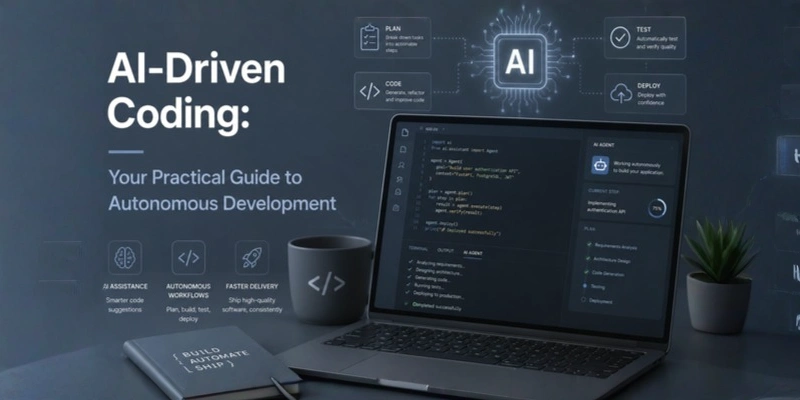
AI-Driven Coding: Your Practical Guide to Autonomous Development
Discover how AI-driven coding tools transform software development. Explore autonomous development frameworks, top AI coding assistants, and best practices.
Introduction
Software development is evolving faster than ever before. What once required hours of manual coding, debugging, and documentation can now be accomplished in minutes, thanks to AI-driven coding tools. Whether you're writing your first API endpoint or refactoring a legacy codebase, autonomous development is no longer a future concept — it's happening right now across engineering teams worldwide.
This guide breaks down exactly what AI-driven coding means, why it matters, how to adopt it effectively, and which tools lead the pack in 2025. If you're ready to build smarter, not harder, read on.
Key Insight: AI-driven coding doesn't replace developers — it amplifies their capabilities, enabling faster delivery, fewer bugs, and more time for creative problem-solving.
What Is AI-Driven Coding?
AI-driven coding refers to the use of artificial intelligence — particularly large language models (LLMs) and machine learning algorithms — to assist, automate, or fully generate software code. These systems learn from vast repositories of publicly available code and documentation, enabling them to understand developer intent and produce contextually accurate suggestions.
At its most basic level, AI coding tools offer intelligent code completion — filling in the next line as you type. At their most advanced, they support autonomous development workflows, where AI agents can plan, write, test, and even deploy code with minimal human intervention.
Core Capabilities of AI Coding Tools
Intelligent code auto-completion and multi-line suggestions
Natural language to code translation (describe a function, get the code)
Automated bug detection and real-time error resolution
Test case generation and code documentation
Code refactoring and performance optimisation suggestions
Security vulnerability scanning integrated into the workflow
Why AI-Driven Coding Matters
The demand for software is growing exponentially — but the talent pool is not keeping pace. Organisations face mounting pressure to deliver more features, faster, with smaller teams. AI-driven coding bridges that gap directly.
| Challenge Without AI | Solution With AI-Driven Coding |
|---|---|
| Slow development cycles | AI auto-generates boilerplate and repetitive code in seconds |
| High bug density | AI identifies issues before they reach production |
| Documentation gaps | AI writes inline docs and README files automatically |
| Onboarding friction | New team members use AI to understand unfamiliar codebases quickly |
| Context-switching fatigue | AI handles low-value tasks, freeing focus for architecture |
According to GitHub's research, developers using AI pair programming tools complete tasks up to 46% faster. This isn't a marginal efficiency gain — it's a fundamental shift in how software gets built.
Industry Data: Stack Overflow's 2024 Developer Survey found that over 55% of professional developers are now using AI coding tools as part of their daily workflow — up from just 30% in 2023.
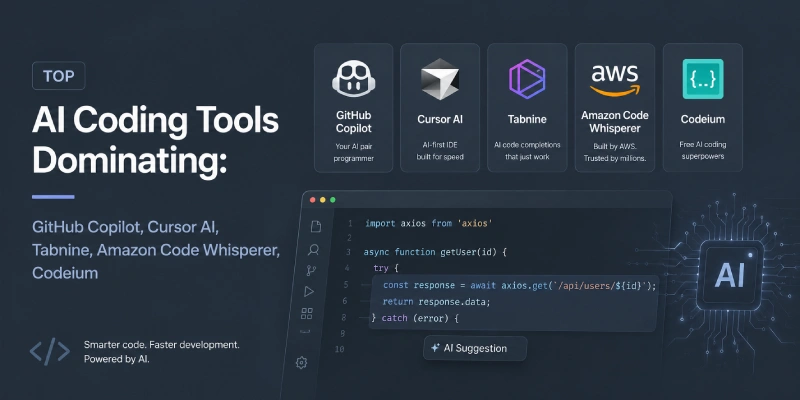
Top AI Coding Tools Dominating
Choosing the right AI coding assistant depends on your development environment, language preferences, and workflow needs. Here's a breakdown of the leading tools shaping autonomous development today.
Powered by OpenAI's Codex and GPT-4, GitHub Copilot remains the market leader. It integrates directly into VS Code, JetBrains IDEs, and Neovim. Copilot excels at multi-line suggestions, test generation, and explaining code in plain English. Its Copilot Chat feature allows developers to ask coding questions in natural language inside their IDE.
Cursor is purpose-built as an AI-first code editor. It supports full codebase indexing, enabling contextual suggestions that understand your entire project — not just the file you're editing. Cursor's 'Composer' feature can autonomously generate multi-file changes from a single prompt, making it a powerful tool for autonomous development scenarios.
Tabnine prioritises privacy and enterprise security. Unlike cloud-based competitors, it offers on-premise deployment options, making it a preferred choice for teams handling sensitive IP or operating in regulated industries. It integrates with over 15 IDEs and supports 30+ programming languages.
Optimised for AWS environments, CodeWhisperer is a natural fit for cloud-native and serverless development teams. It includes built-in security scanning powered by automated reasoning, flagging OWASP vulnerabilities and AWS security best practices in real time.
Codeium offers a robust free tier that has made it popular among individual developers and open-source contributors. It supports over 70 languages and integrates with more than 40 editors. Its speed and low latency make it a strong contender for developers who prioritise performance.
Quick Comparison
| Tool | Best For | Key Strength | Pricing |
|---|---|---|---|
| GitHub Copilot | General use | Multi-line context | From $10/mo |
| Cursor AI | Full-stack AI IDE | Codebase indexing | Free + Pro |
| Tabnine | Enterprise/privacy | On-premise deploy | From $12/mo |
| CodeWhisperer | AWS/cloud teams | Security scanning | Free tier + paid |
| Codeium | Individual devs | Speed + 70+ langs | Free |
A Practical Framework for Autonomous Development
Adopting AI-driven coding tools is straightforward, but adopting them strategically is where organisations unlock the real value. Follow this four-phase framework to integrate autonomous development into your workflow.
Before introducing any AI tooling, map your existing development lifecycle. Identify the bottlenecks: is it in code review, test writing, documentation, or initial scaffolding? AI tools deliver the highest ROI when targeted at your most time-intensive, low-creativity tasks.
Begin with AI-assisted coding (suggestions, completions, inline docs) before progressing to autonomous code generation. This allows your team to build trust in AI output quality, calibrate review processes, and avoid compounding errors in production code.
Even the best AI coding tools make mistakes. Establish clear review gates — especially for security-sensitive logic, database queries, and API integrations. Use AI-generated code as a draft, not a final deliverable, and ensure your team understands the code it ships.
Track productivity metrics before and after AI adoption: lines of code reviewed per day, time-to-close on pull requests, bug rates per sprint. Use data to identify which tool configurations and prompting strategies work best for your team's specific context, then scale those patterns.
Pro Tip: The developers who get the most from AI coding tools are those who treat them as a collaborative partner — providing clear, specific prompts, reviewing outputs critically, and iterating quickly rather than accepting the first result.
Challenges and How to Overcome Them
AI-driven coding is powerful, but it comes with real challenges that teams must address proactively.
AI models can generate syntactically correct but logically flawed code — sometimes called 'hallucinations.'
AI tools trained on public repositories may surface code patterns that include known vulnerabilities.
Heavy dependence on AI code generation can erode foundational understanding, especially among junior developers.
Questions around code ownership and training data provenance remain legally unresolved.
Best Practices for AI-Driven Development
Write precise, context-rich prompts — vague inputs produce vague outputs.
Always review AI-generated code for logic, security, and edge-case handling.
Integrate AI tools into your CI/CD pipeline for automated quality gates.
Version-control your prompts and AI configurations alongside your codebase.
Train your team on prompt engineering as a core development competency.
Choose tools that align with your compliance and data-residency requirements.